How to Join
Follow the tutorial below to install the necessary mods and join Poketod SMP. Select your platform to get started!
1
Download Legacy Launcher & Modpack
First, you need to download the Legacy Launcher and our official Poketod SMP modpack .mrpack file.
2
MRPACK to Zip Convert
Follow these steps to complete the installation:
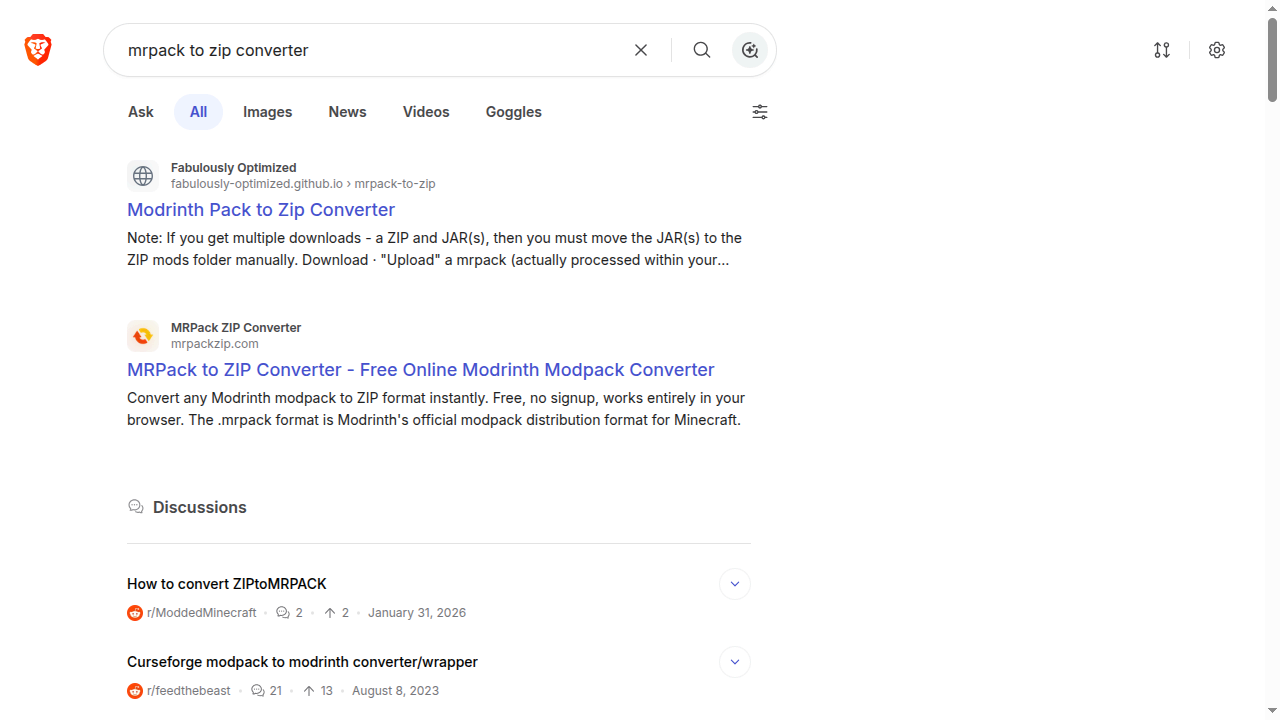
- Search MRPACK to Zip Converter on Google
- Choose whichever converted website you prefer, but in this tutorial I’m using mrpackzip.com
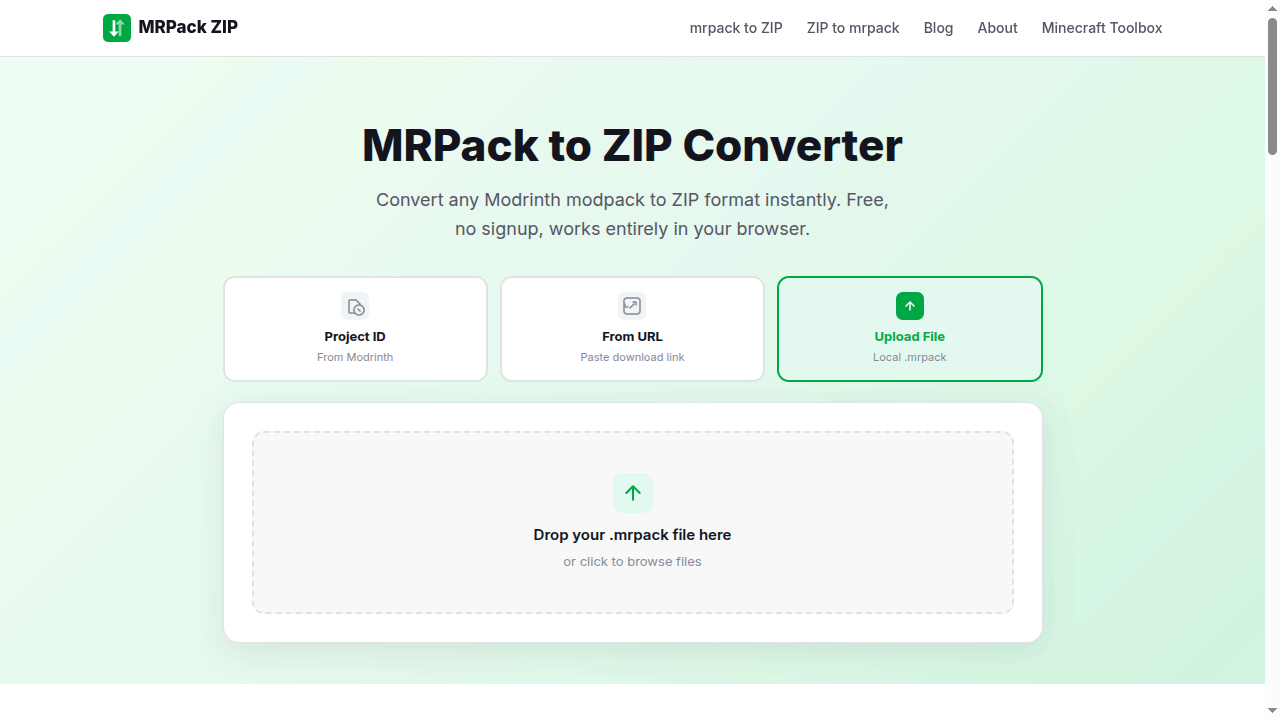
- Please upload the poketod smp.mrpack file to convert it to a ZIP file
- Wait until the converted of the .mrpack file for poketod SMP is complete
- Once the converted is complete, please download the .zip file
3
Install the Version
Follow these steps to complete the installation:
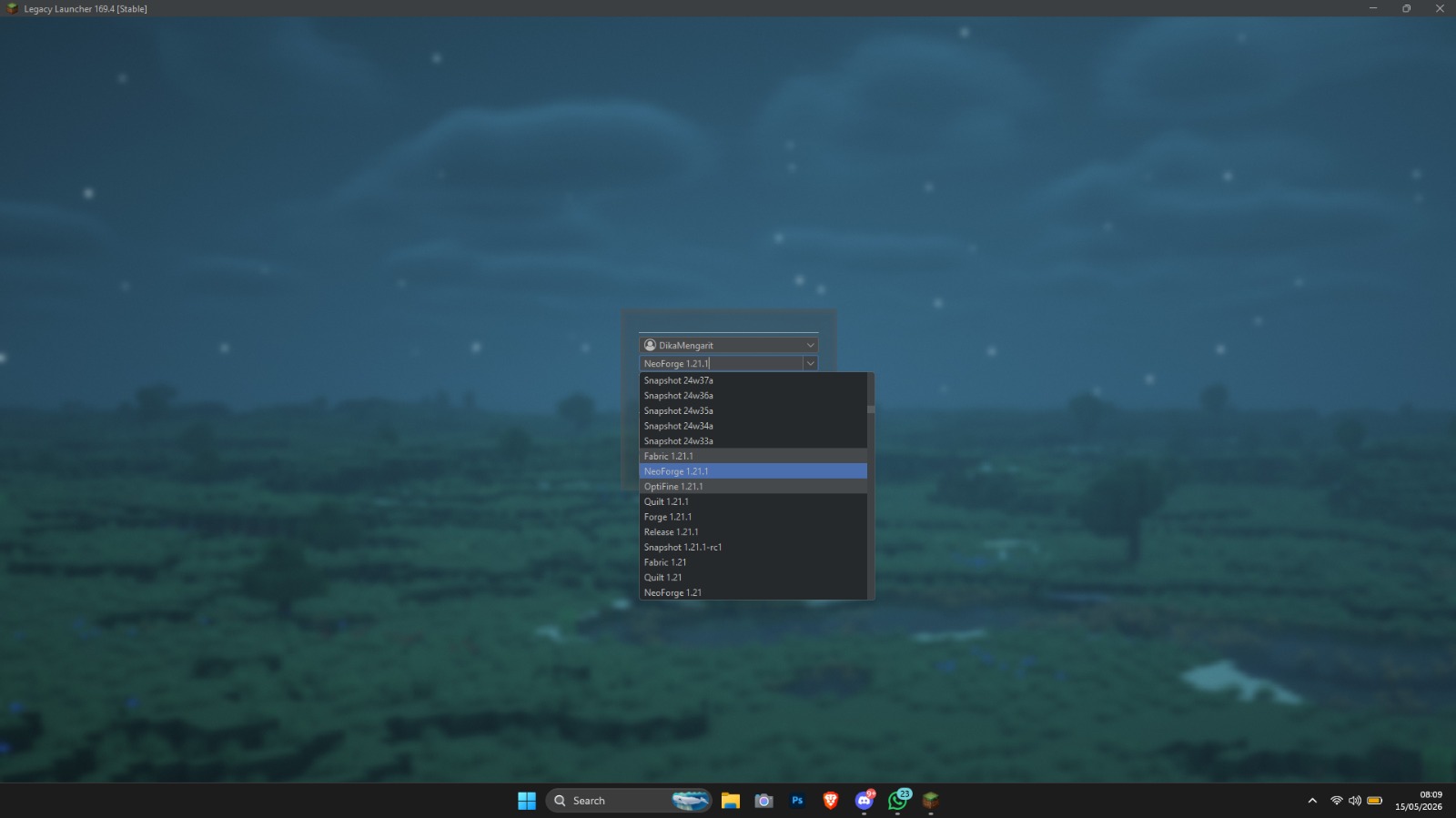
- Open Legacy Launcher.
- Install minecraft version Fabric 1.21.1
- Wait until the installation is complete
- The screenshot shows that Neoforge 1.21.1 is installed, but trust me, you need to download Fabric 1.21.1, not Neoforge 1.21.1
4
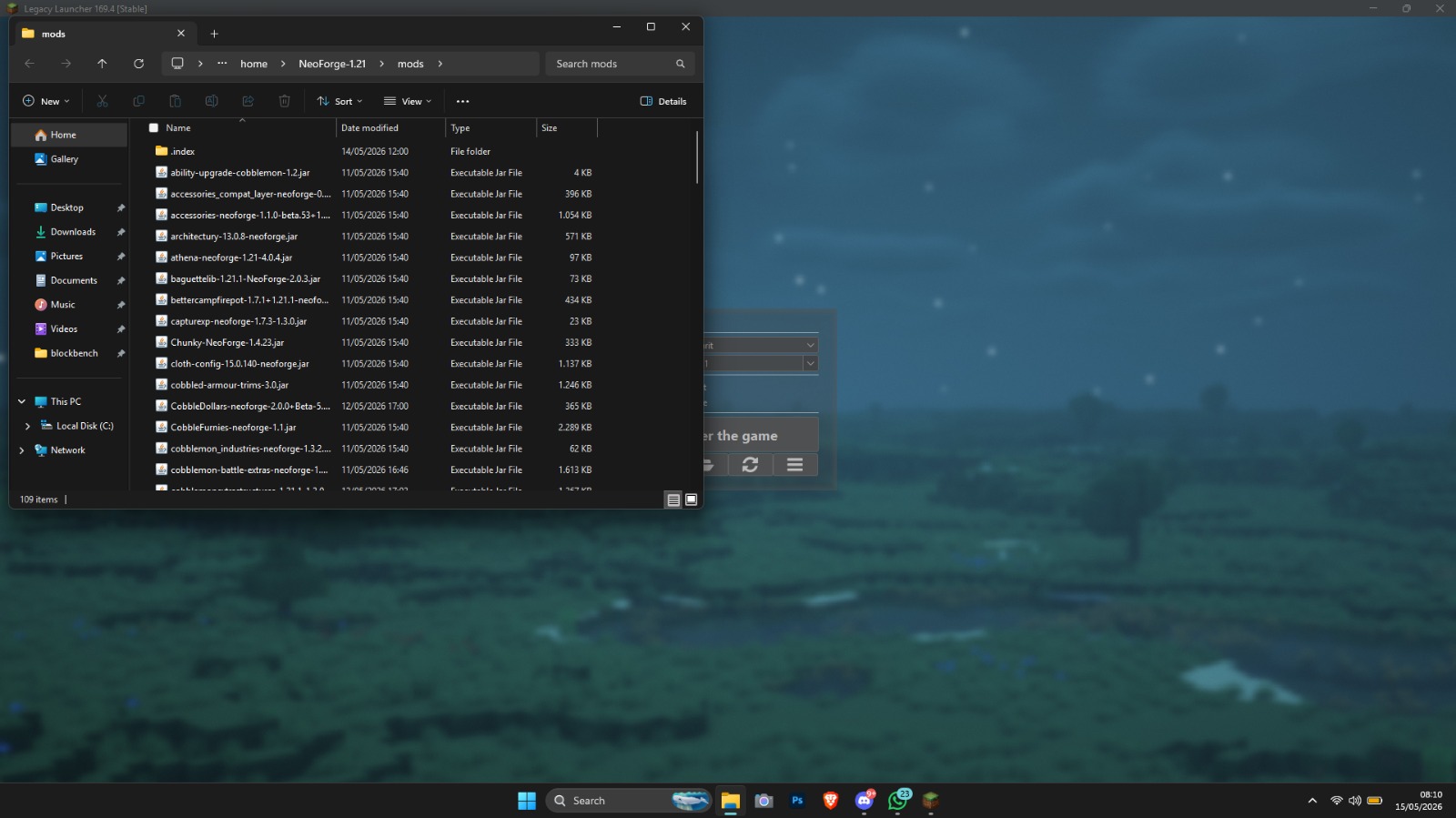
Install the Modpack
Follow these steps to complete the installation:
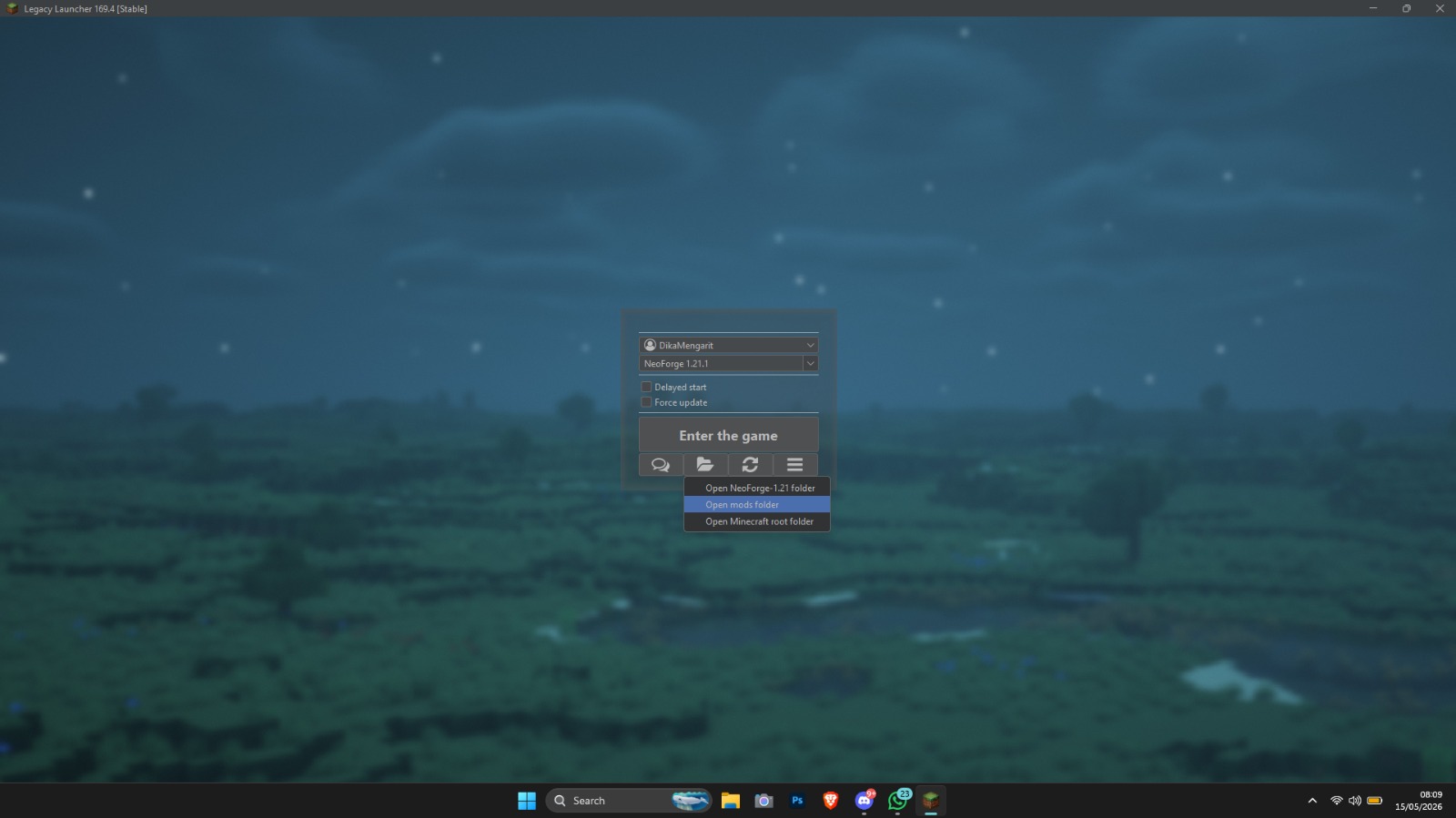
- Click on hamburger icon
- Click open mods folder
- Unzip the .zip file you downloaded earlier during the steps for the MrPack to ZIP converter
- and move all the contents of the mods folder which you extracted from .zip to the mods folder in the Minecraft Legacy Launcher version Fabric 1.21.1
5
Connect to the Server
Launch the game, go to Multiplayer, click "Add Server", and enter the following IP address to join us!
mc.poketod.my.id
You're All Set!
If you encounter any issues during installation, feel free to ask for help in our Discord server.
Join Discord Support